How does Morph keep the admin off my plate?
For a small business, the time sink is often not making a payment. It is keeping track of all of them.
The familiar problem
The payment request you sent last week. The invoice you think was paid. The contractor who says the payment never arrived. Three browser tabs, a spreadsheet, and a folder of screenshots. That is what payment admin looks like for most small businesses — not one broken thing, just the picture split across too many places.
Both directions, one place
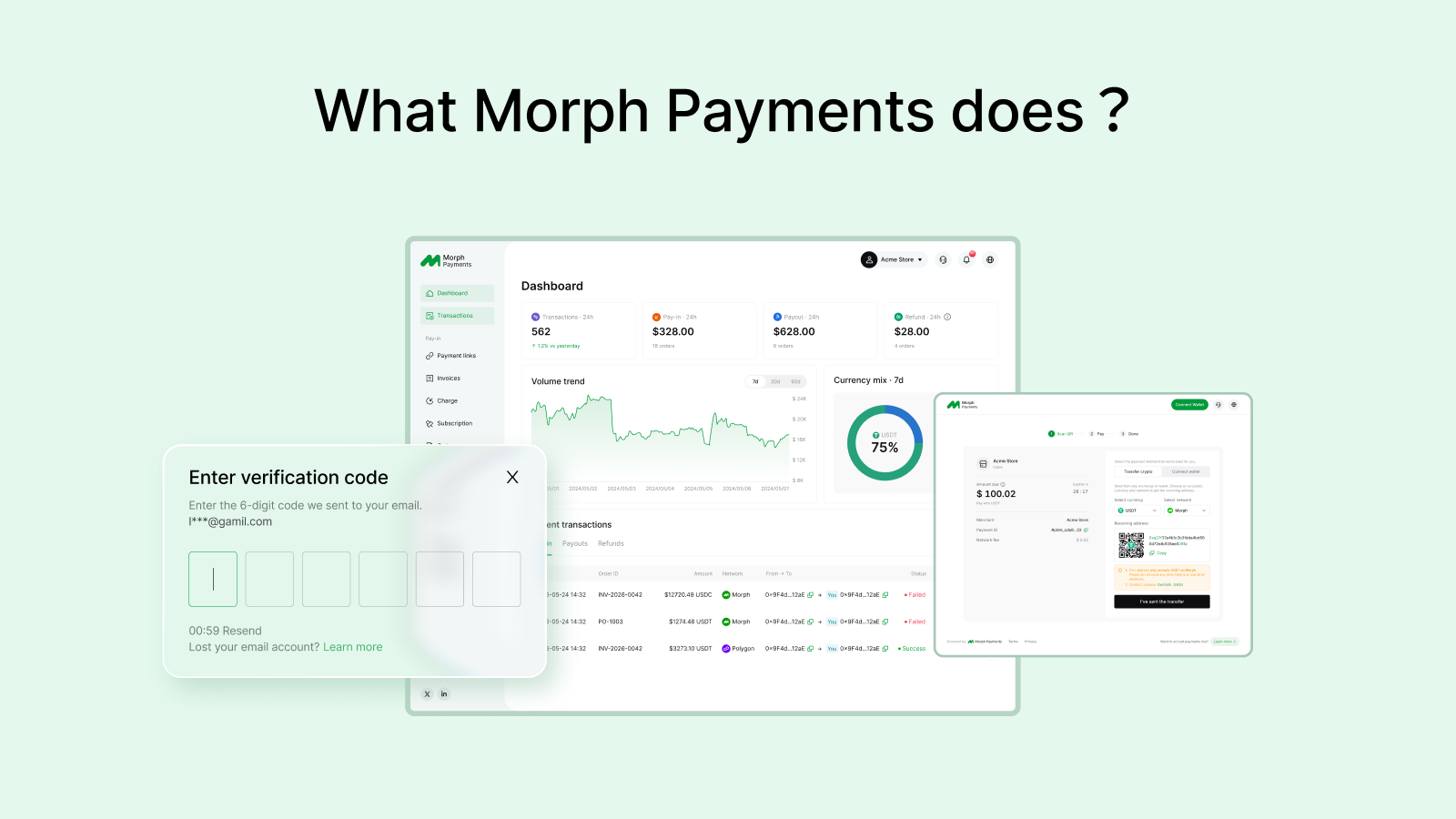
Morph Payments puts what came in, what went out, and what is still open into a single transaction list. You are not stitching the picture together across different tools. The incoming payments and the payouts you made sit side by side, in chronological order, with status.
Find what you need in seconds
When you need to track down a specific payment, you search and filter your activity instead of going back through message threads, spreadsheets and screenshots. Filter by date, status, amount, or direction. The answer is there before you have to explain the question to anyone.
Export the record
When you need the history outside Morph Payments — for your accountant, for a monthly close, for a contractor — you export the activity and share the file. No rebuilding the history from scratch. No formatting. Just the record, ready to hand over.
What the time actually buys back
The point is not another tool to manage. It is having the money coming in, the money going out, and the record of both in one place — so you can get back to the work you are actually paid for.
You run your business. Morph Payments keeps the payment side together.